Facebook Login setup
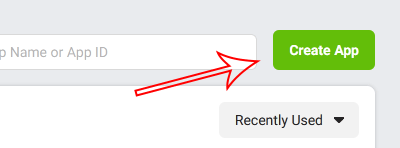
⇒ Go to https://developers.facebook.com/apps
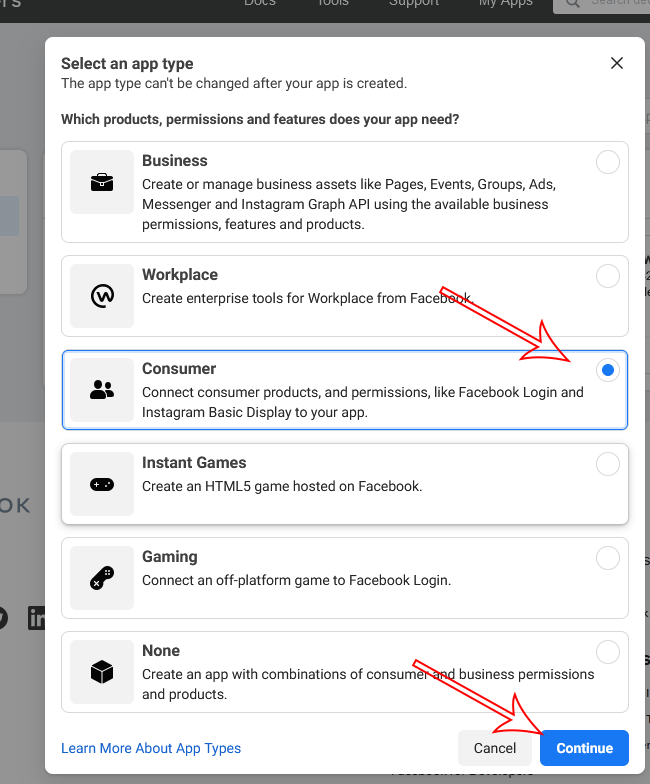
⇒ Select Consumer and Continue:
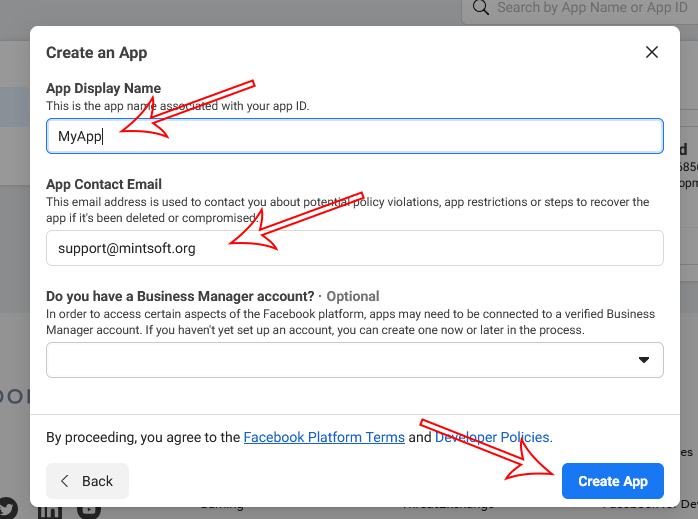
⇒ Enter your app name, contact email. Then click on Create App:
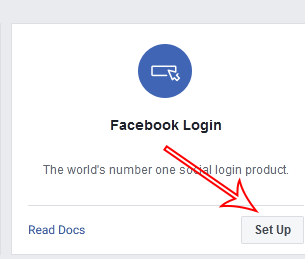
⇒ The from Add Product click on Facebook Login setup button:
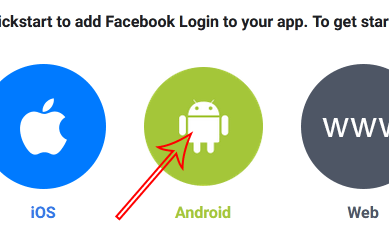
⇒ Choose Android:
⇒ Keep clicking on next button till the option 3:
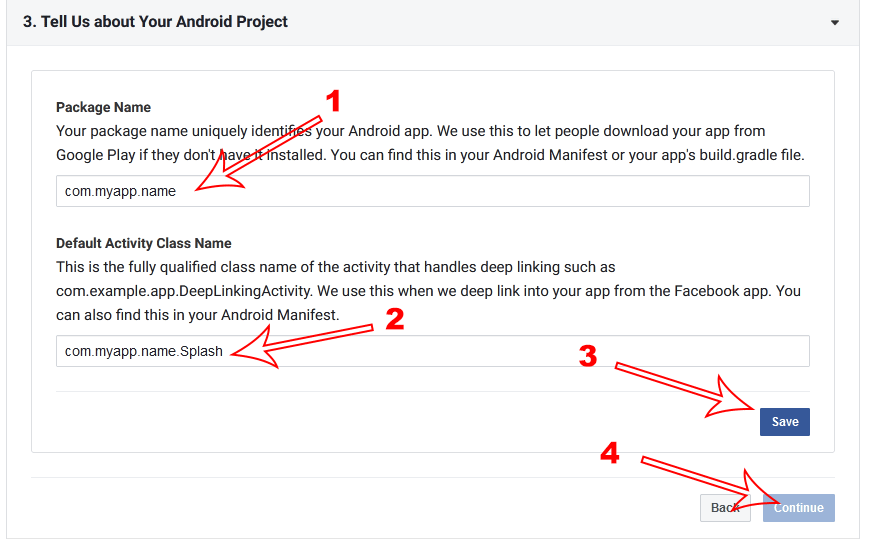
- Enter your package name
- Enter default activity class name. Just add (.Splash) after entering your package name.
- Click on Save. If popup appears click on Use this package name.
- Click Continue button.
⇒ Obtain Hash key:
Key hash creation for Facebook (Release hash only)
- Download openssl https://code.google.com/archive/p/openssl-for-windows/downloads
- Extract somewhere
- Start command prompt
- Locate your JDK bin directory and change path to that directory by cd command.
- For example if your JDK path is
c:\Program Files\Java\sdk-xx.x.x\bin\then in command prompt write cdc:\Program Files\Java\sdk-xx.x.x\bin\ - The use this command tool in your command prompt:
keytool -exportcert -alias YOUR_RELEASE_KEY_ALIAS -keystore YOUR_RELEASE_KEY_PATH | openssl_full_path sha1 -binary | openssl_full_path base64
example:keytool -exportcert -alias key0 -keystore C:\Users\Profilename \keystore_backup\ myproject.jks | C:\Users\Profilename \Desktop\openssl-0.9.8k_X64\bin\openssl sha1 -binary | C:\Users\Profilename \Desktop\openssl-0.9.8k_X64\bin\openssl base64 - Enter your keystore password (if it's default debug.keystore then password probably android)
- Get the release key hash
⇒ In option 4 put the key here in Facebook login setup page:
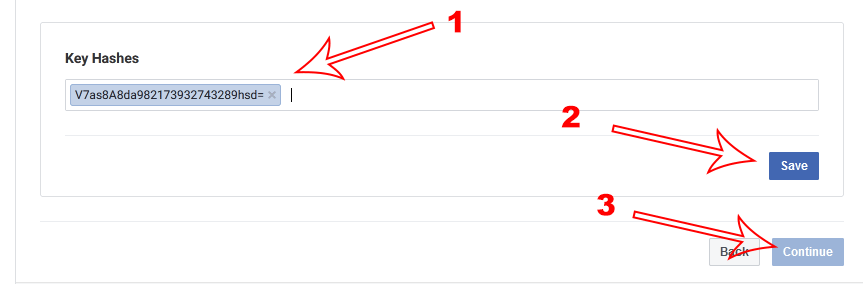
⇒ Now keep clicking on next button till the end.
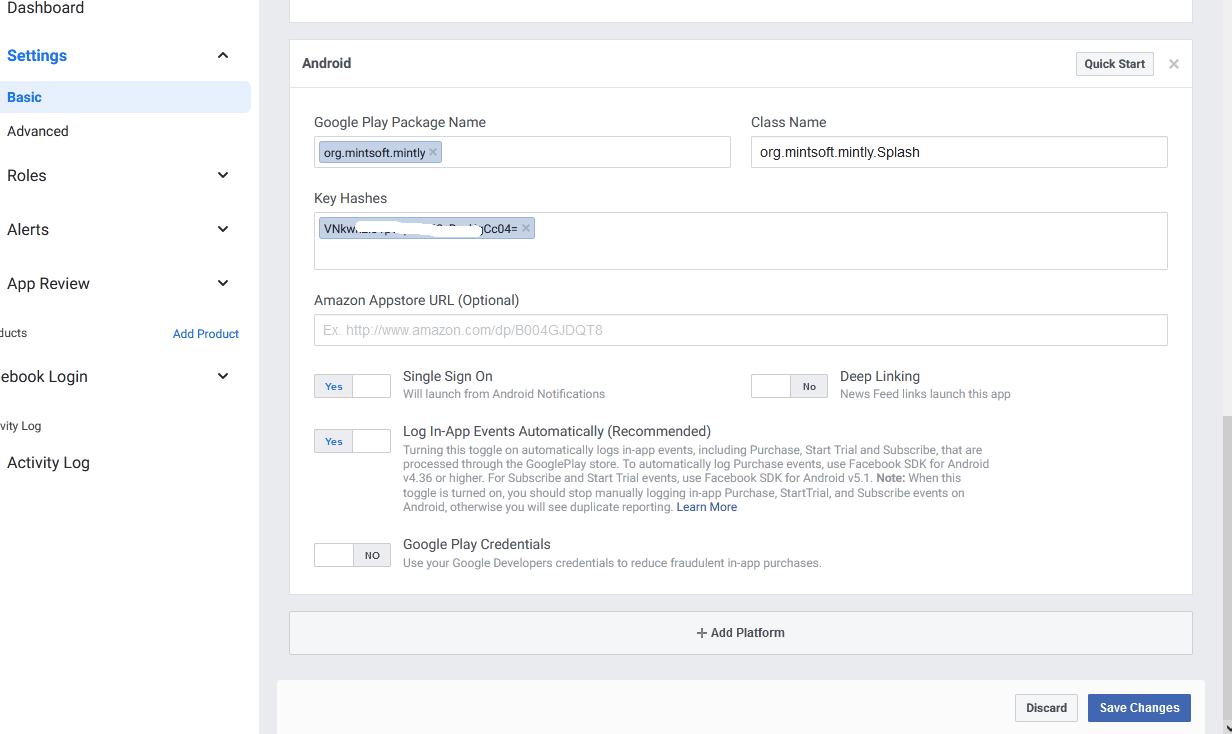
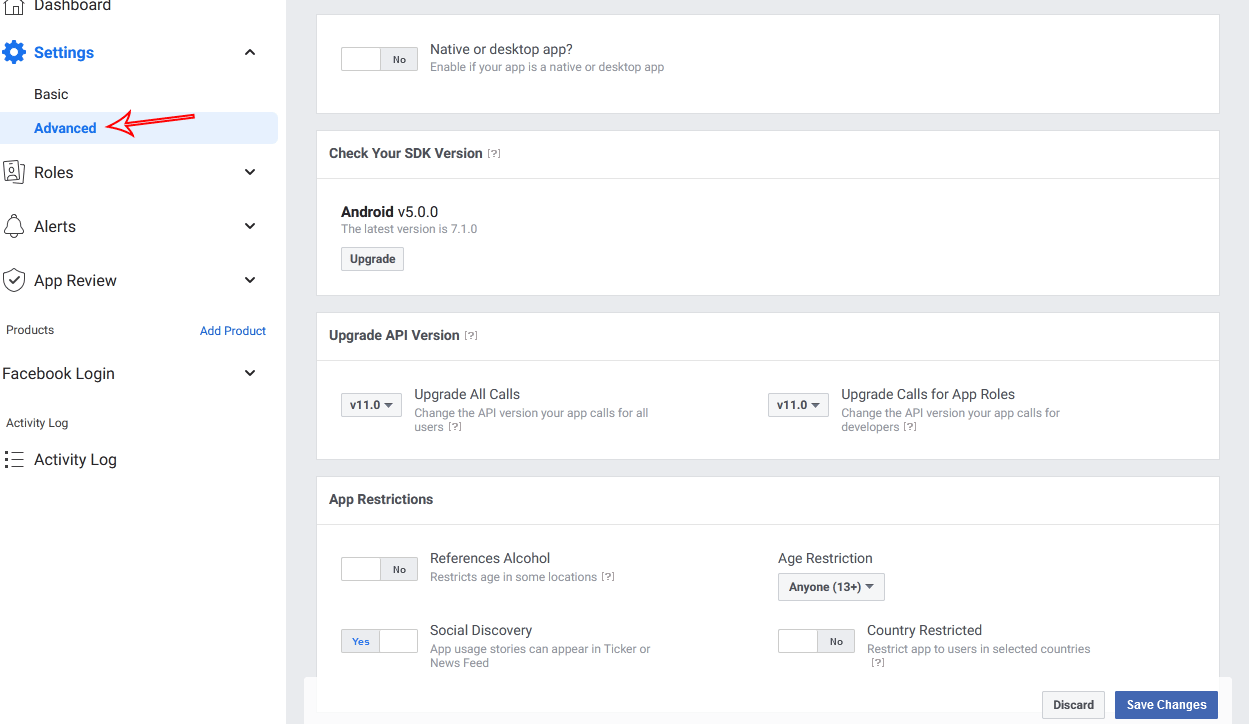
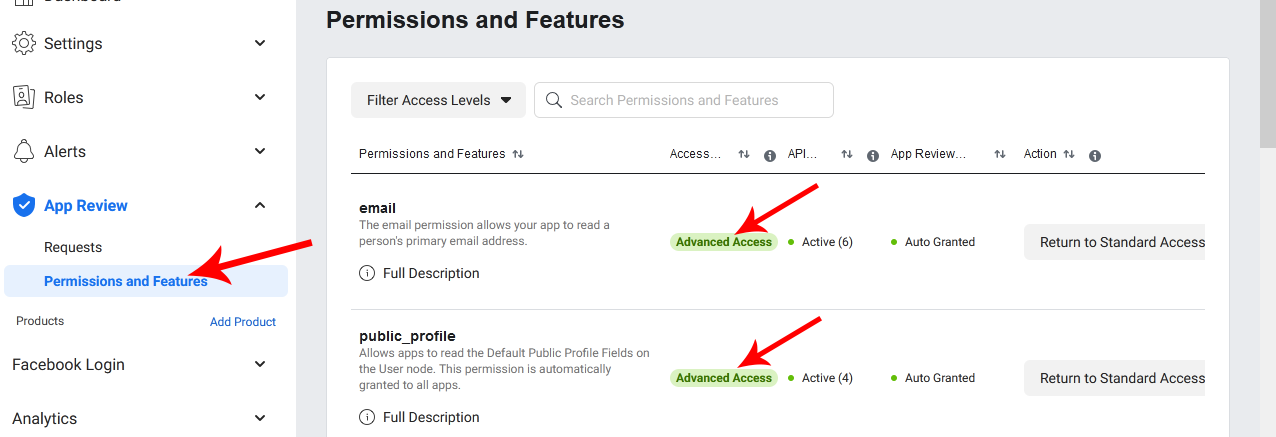
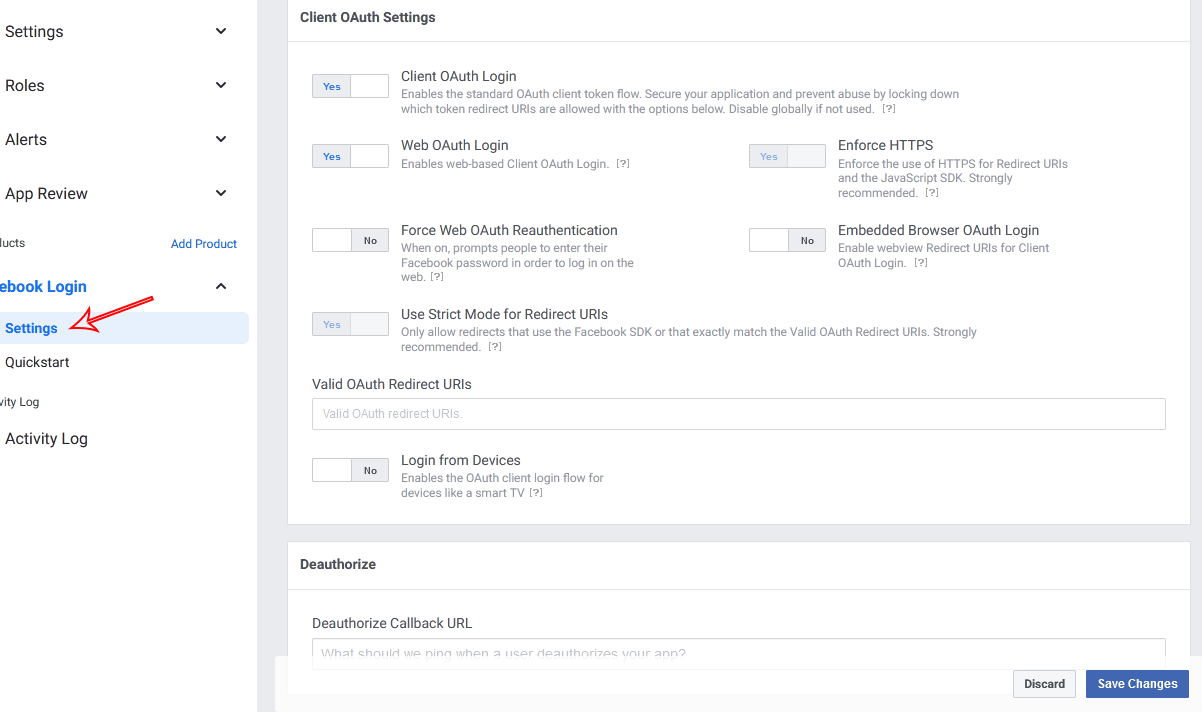
⇒ Then add/edit according to the screenshots:
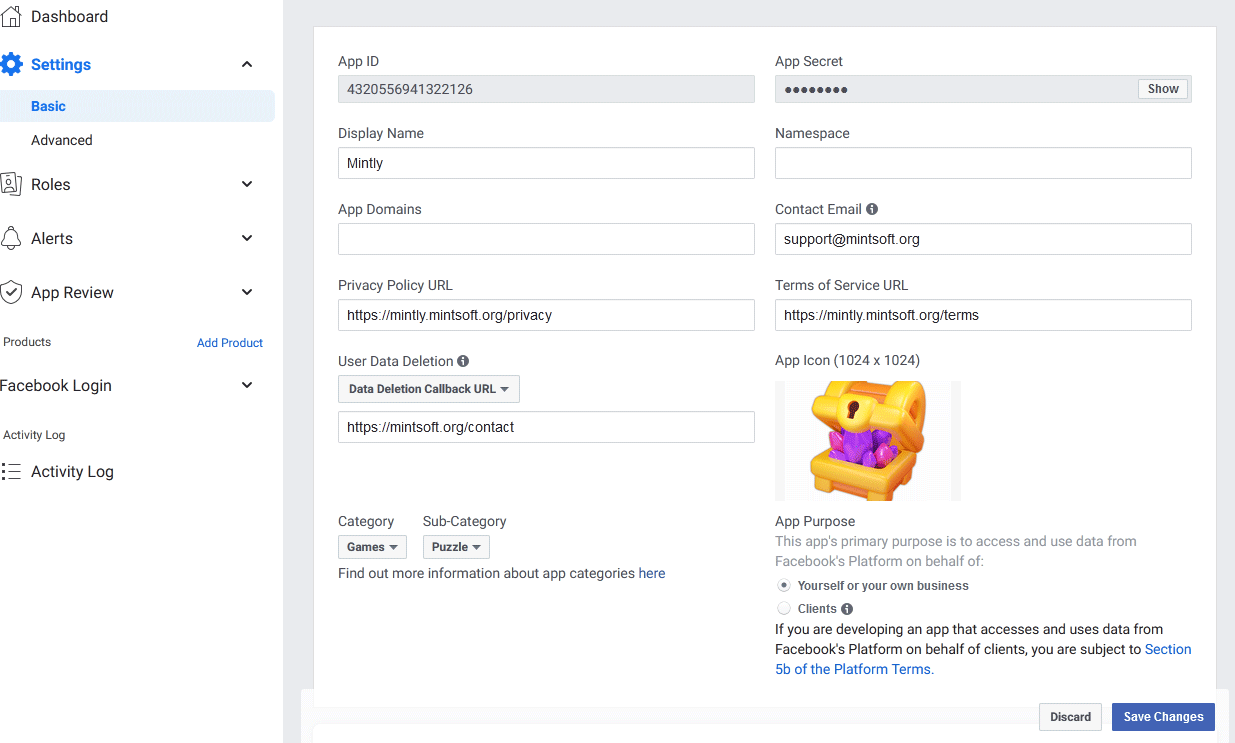
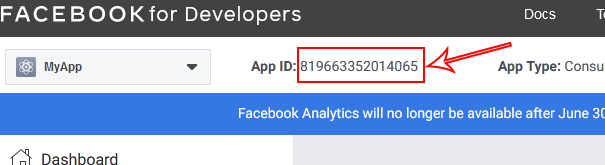
⇒ Now get the Facebook App ID:
⇒ Update your settings.xml from Android Studio:
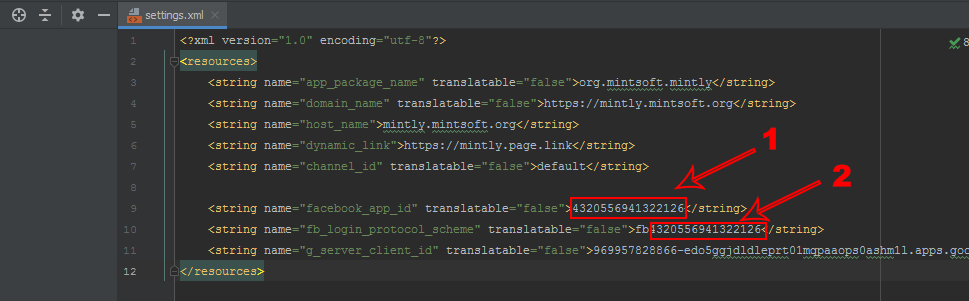
Note: value of facebook_app_id is your actual Facebook App ID and fb_login_protocol_scheme will be fb prefixed APP ID like: fb[your_app_id]